

DoItDigital Stancer
Advanced Vehicle Stance Script for FiveM
Lower it. Widen it. Perfect the fitment.
DoItDigital Stancer gives players full control over ride height, wheel size, wheel width, offset and camber — through one clean in-game menu, with smart limits that keep every build looking like it belongs on the road.
Built for realistic servers, car meets, tuner communities and cinematic builds.
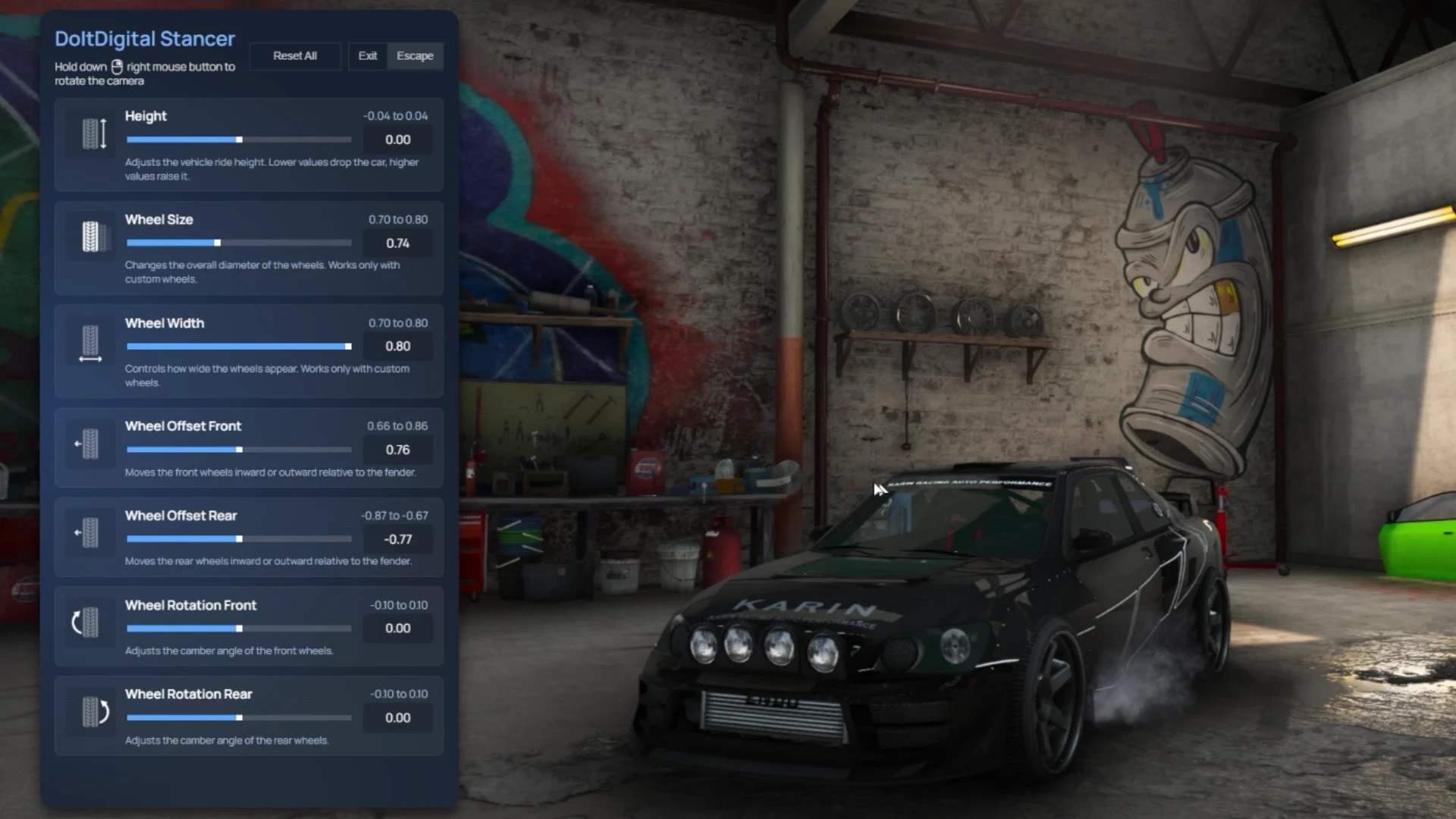
🎛️ Seven Adjustments, One Menu
Open the menu with your own command, hold right mouse to orbit the camera, and dial the car in live:
🔧 Height — drops or raises the vehicle
🔧 Wheel Size — changes the overall diameter of the wheels
🔧 Wheel Width — controls how thick the wheels appear
🔧 Wheel Offset Front / Rear — moves the wheels inward or outward relative to the fender
🔧 Wheel Rotation Front / Rear — adjusts the camber angle
Every slider shows its live value and its allowed range, with a one-line explanation right under it. Nothing to memorise, nothing to guess.
🧠 The Smart Fitment System
This is the part that makes it more than another stancer.
The script reads each vehicle's factory wheel offset and builds the front and rear offset limits around it — so the fitment range is always relative to that car's own bodywork, instead of one global number stretched across every model in the game.
In the screenshots below, the same menu on two vehicles: the truck allows a front offset of 0.82 to 1.02, while the tuner allows 0.66 to 0.86. The script worked those bounds out on its own.
✔ No completely broken wheels
✔ No unrealistic setups
✔ Only clean, believable fitment
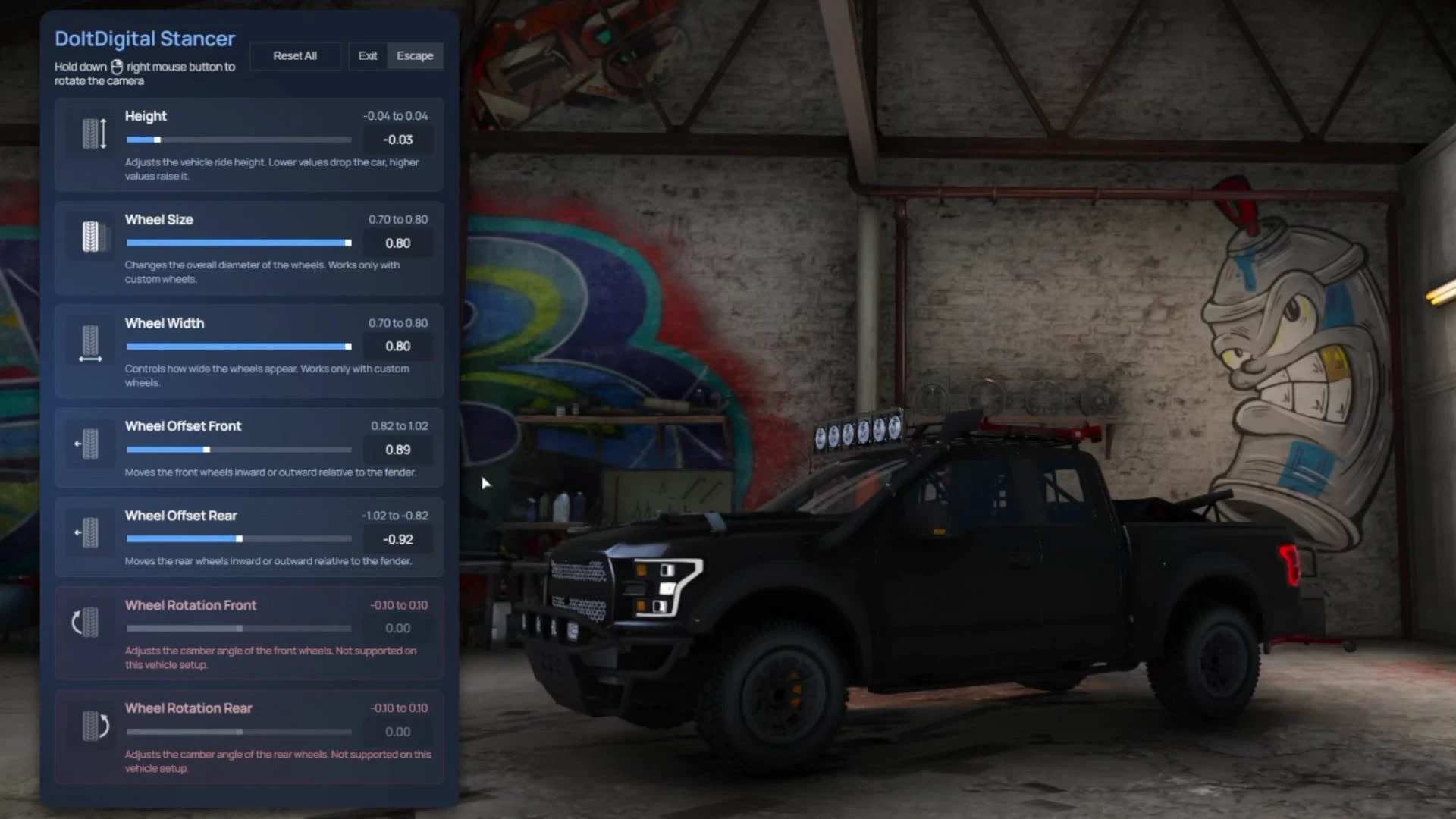
The result is full freedom inside sane boundaries — players still build the stance they want, they just cannot destroy the car doing it.
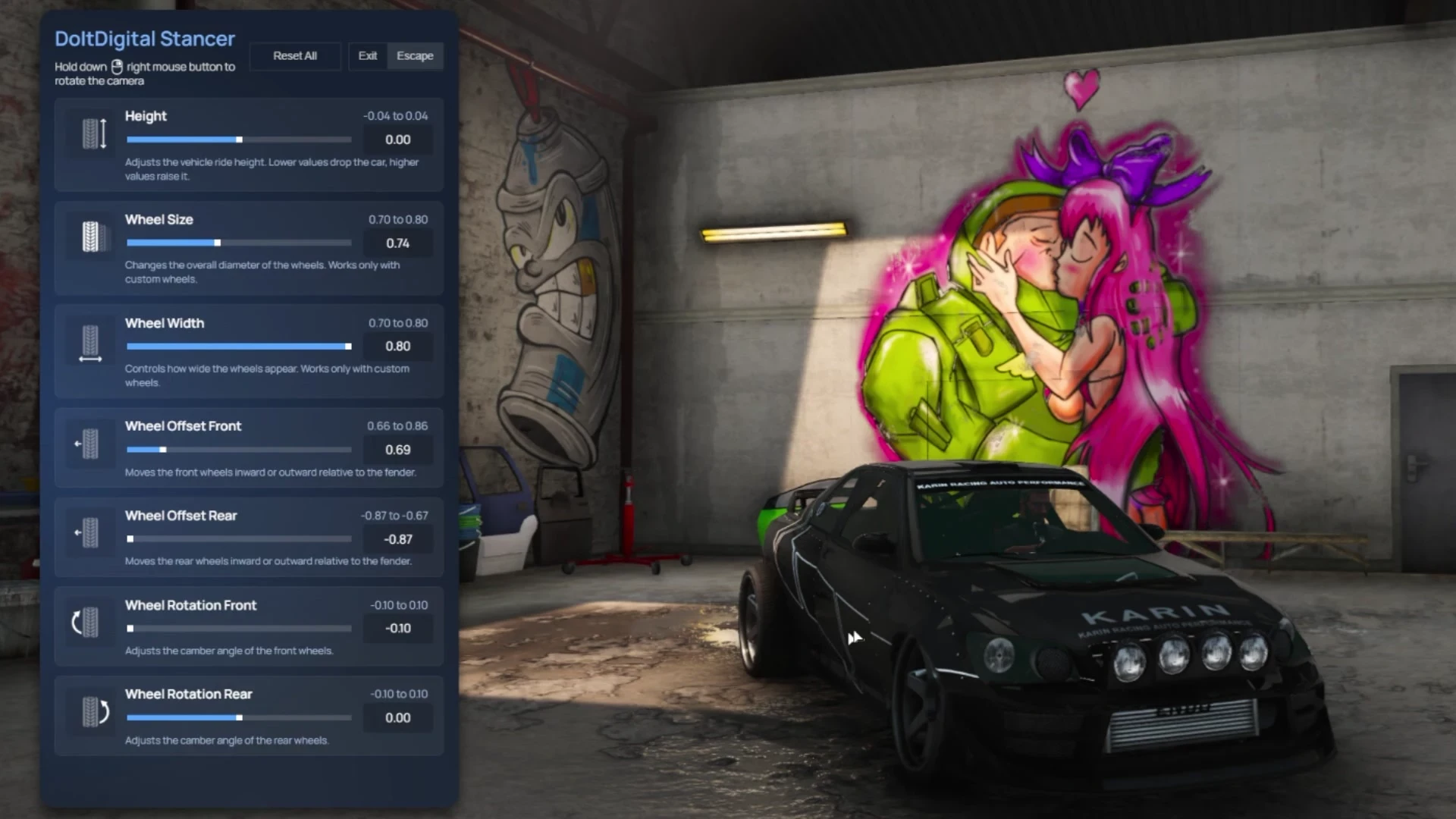
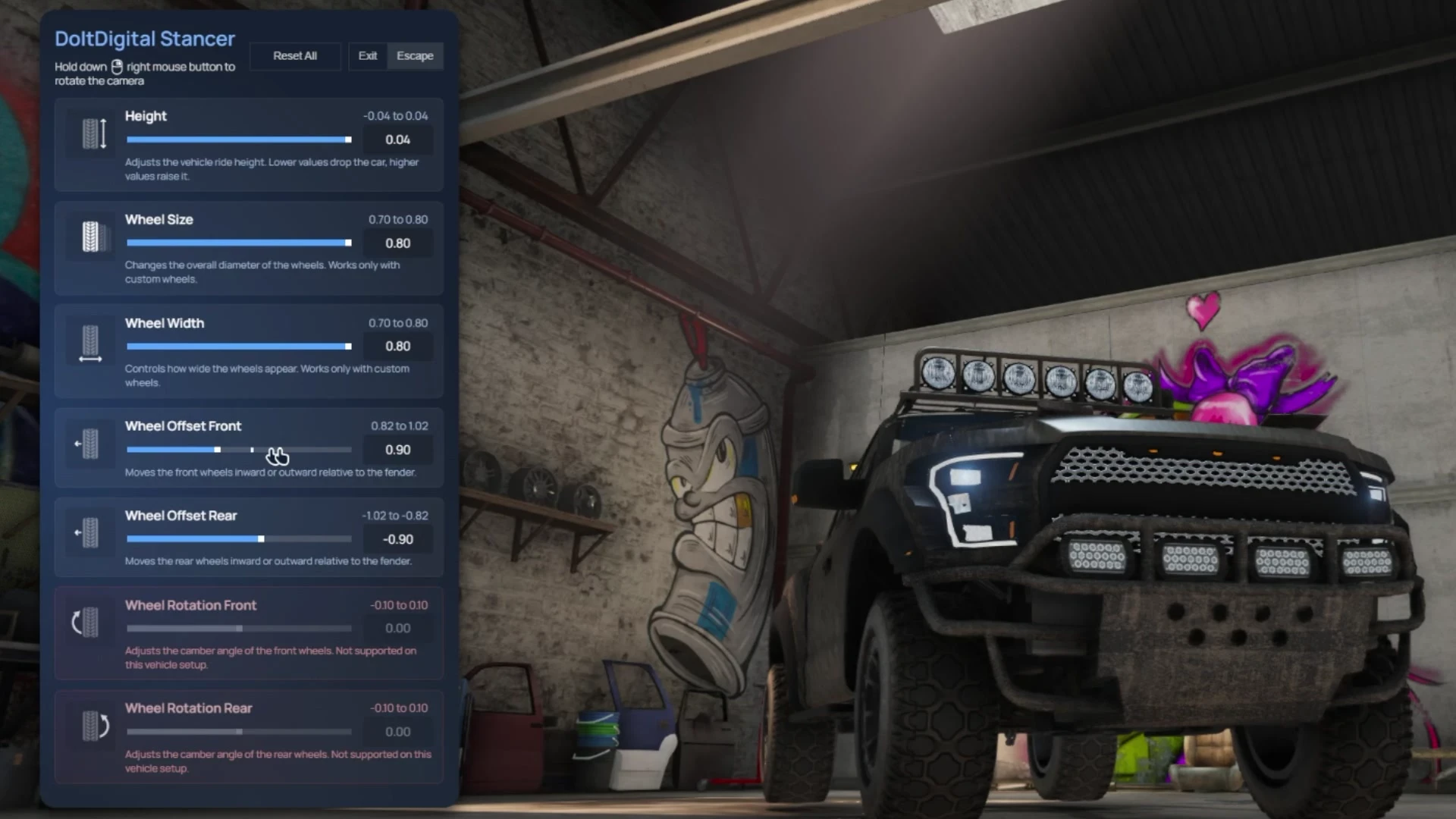
📐 From Slammed To Lifted
The same menu goes both ways. Drop a tuner to the floor with negative height and aggressive camber, or raise a truck and push the wheels out for a wide off-road stance.
⚙️ Every Value Is Yours
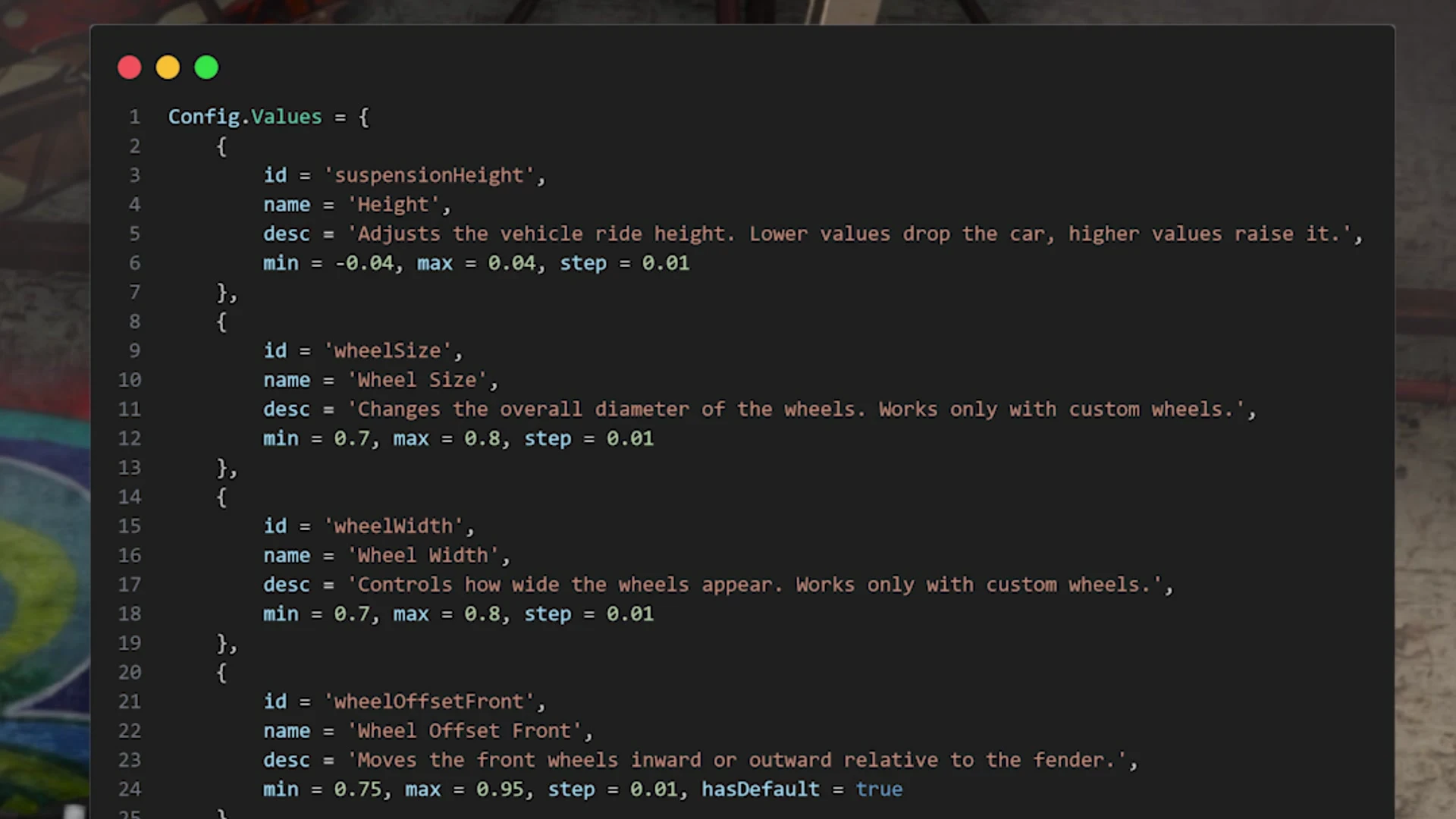
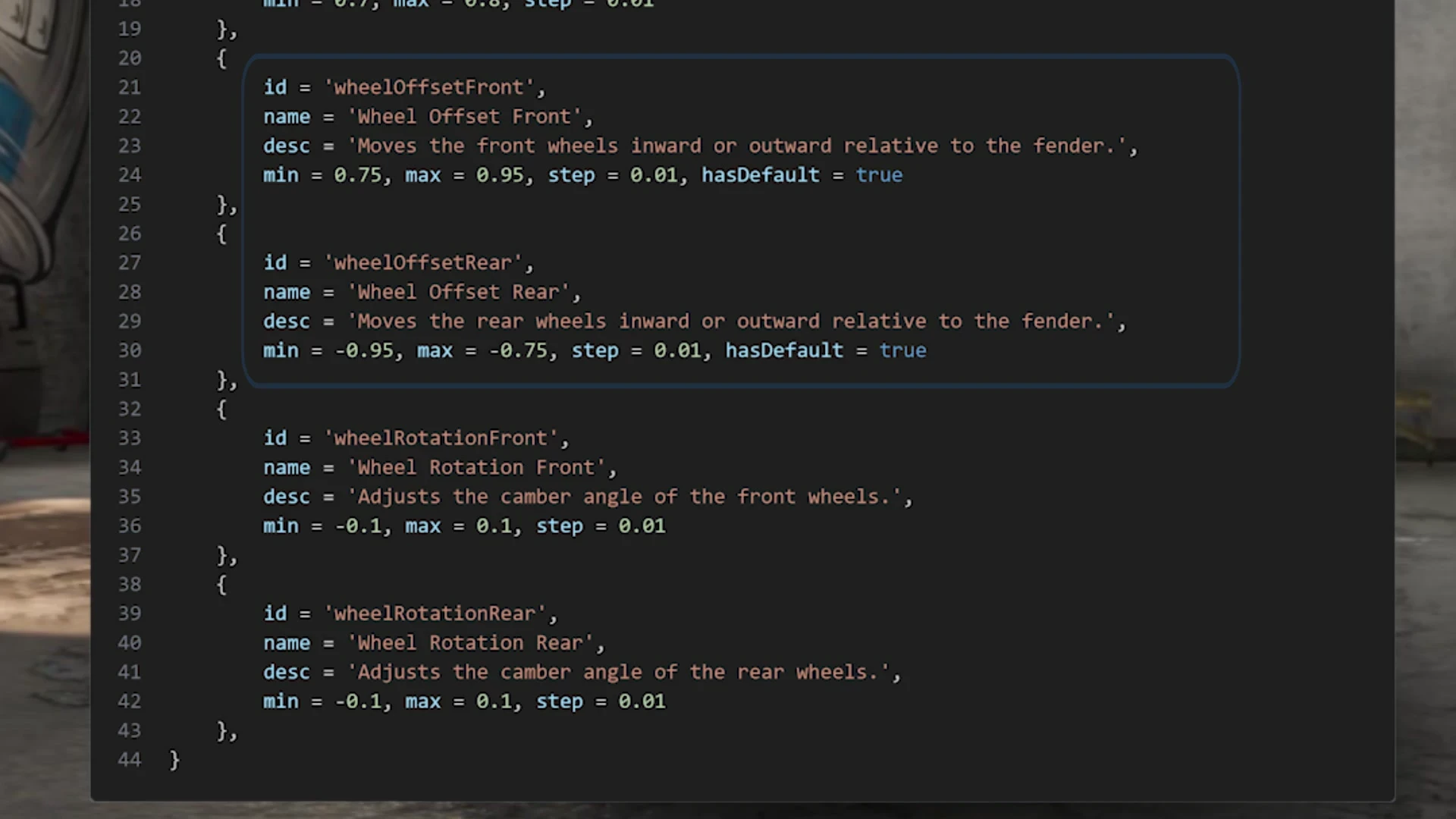
The config exposes each adjustment as an entry with its own label, description, minimum, maximum and step. Tighten them for a strictly realistic server, or open them up for aggressive stance builds.
✅ Command used to open the menu
✅ Wait time before apply
✅ Sync distance
✅ Cache vehicle interval
✅ Custom limits and steps for every value
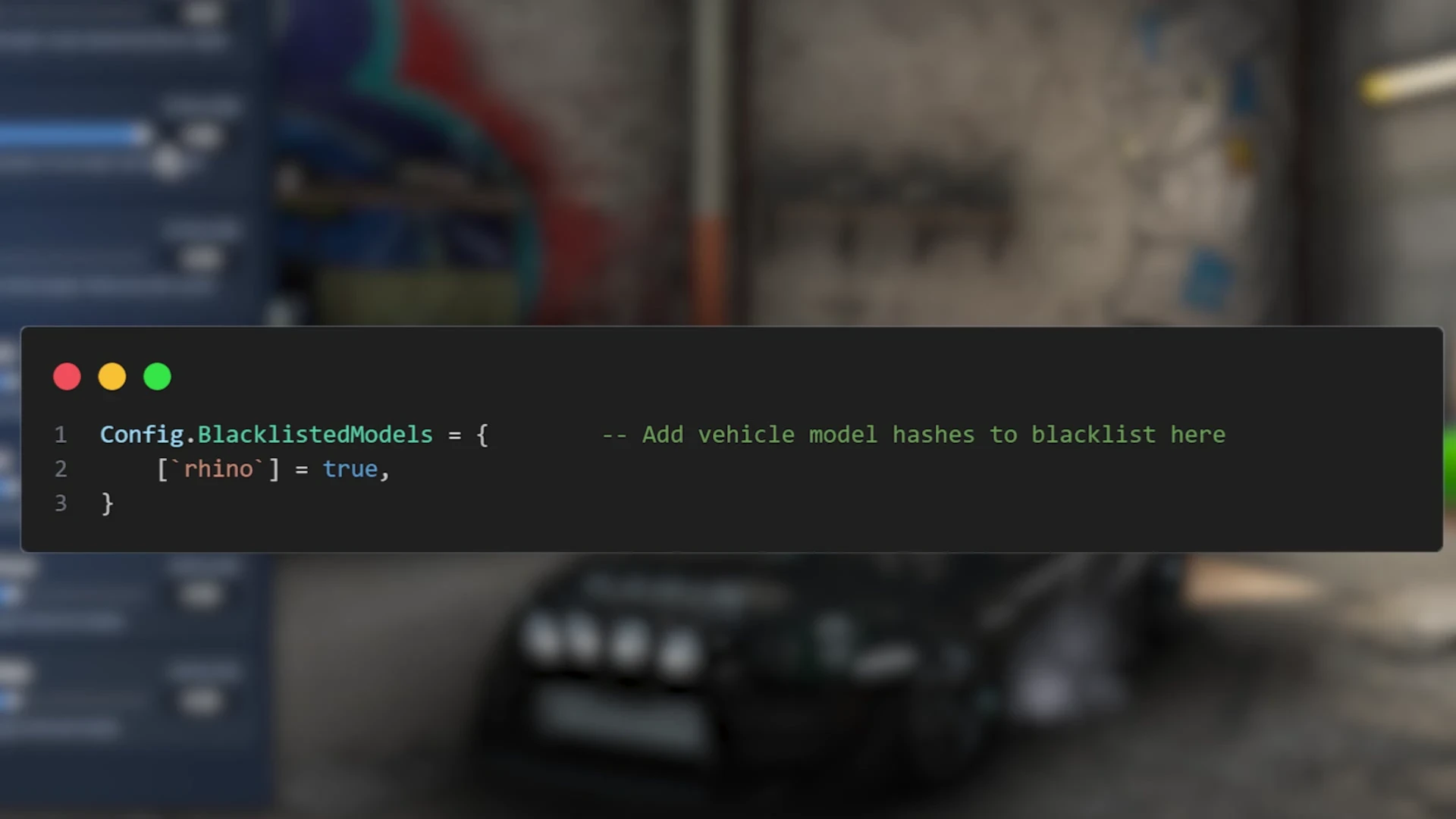
✅ Blacklisted vehicle models
Offset and camber are configured the same way, front and rear independently.
🚫 Vehicle Blacklist
Some vehicles have no business being stanced. Add a model to the blacklist and the menu simply will not open for it.
⚠️ Good To Know
Two honest notes so there are no surprises:
• Wheel Size and Wheel Width work with custom wheels. The menu says so under each slider — stock wheels will not resize.
• Camber depends on the vehicle. Some setups do not support wheel rotation; on those the two rotation sliders are shown greyed out and clearly marked, rather than silently doing nothing.
💡 Why Choose DoItDigital Stancer?
✨ Per-vehicle offset limits calculated automatically — no hand-tuning per car
✨ A menu that explains itself, slider by slider
✨ Reset All to undo a build instantly
✨ Blacklist for the vehicles that should stay stock
✨ Every bound and step under your control
✨ Standalone — drops into any server
📦 Requirements
✅ No dependencies. doitdigital_stancer is standalone — drop it in, start it, set your command and you are running.
💬 Support & community: https://discord.gg/MtEX7K4Sa8