

PROGRESS BAR SCRIPT
🟢 FiveM Progress Bar Script for FiveM!🟢
🔥 PROGRESS BAR SYSTEM
- A customizable progress bar system for FiveM that provides both synchronous and asynchronous progress tracking with animation support, control disabling, and admin configuration options.
👥 Features
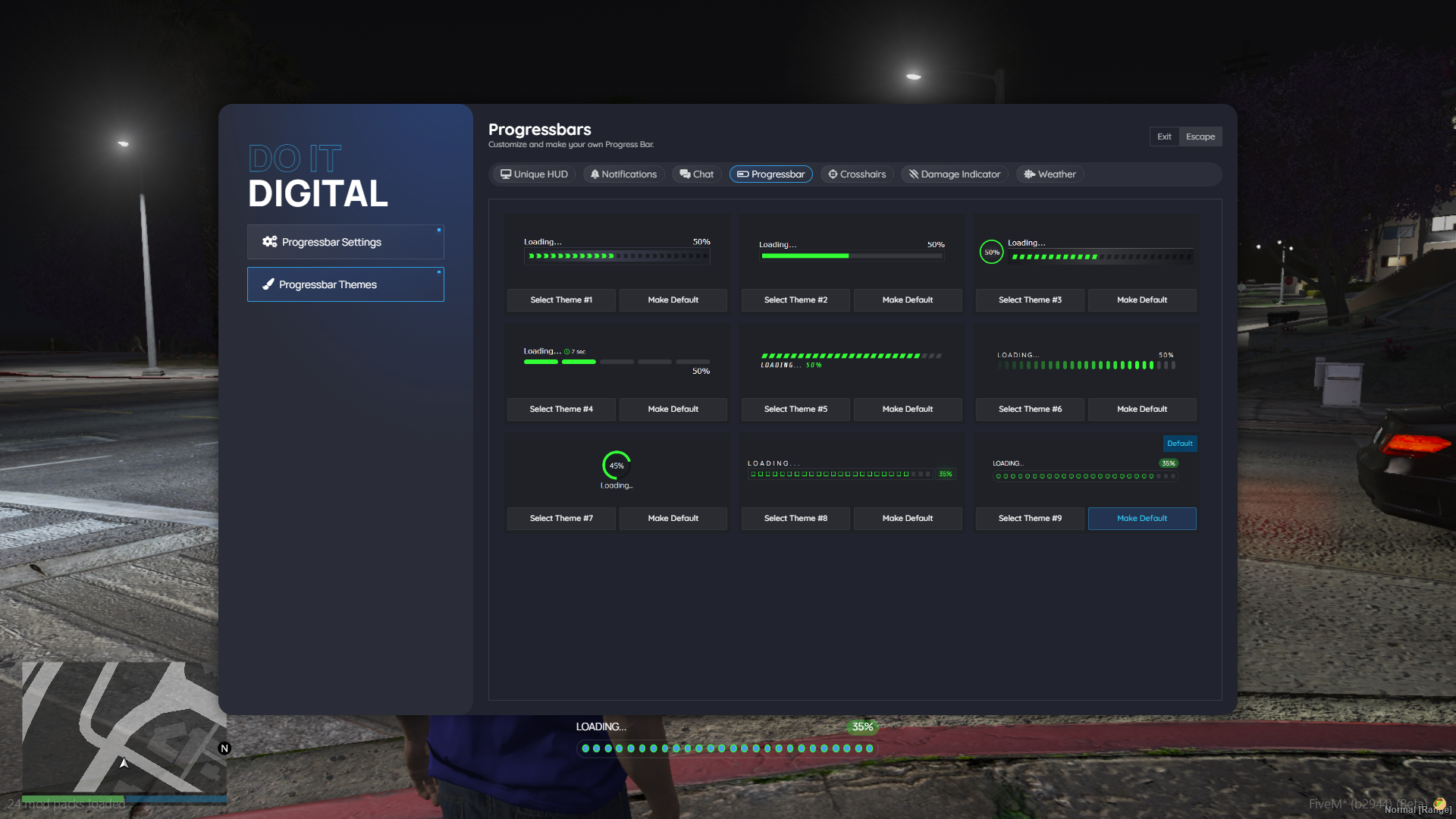
- Dual Mode Operation: Both sync and async progress bar methods
- Animation Support: Play custom animations during progress
- Prop Support: Attach props to the player during progress
- Control Management: Optional control disabling during progress
- Cancellation Support: Allow users to cancel progress with a key
- Admin Configuration: Comprehensive settings management
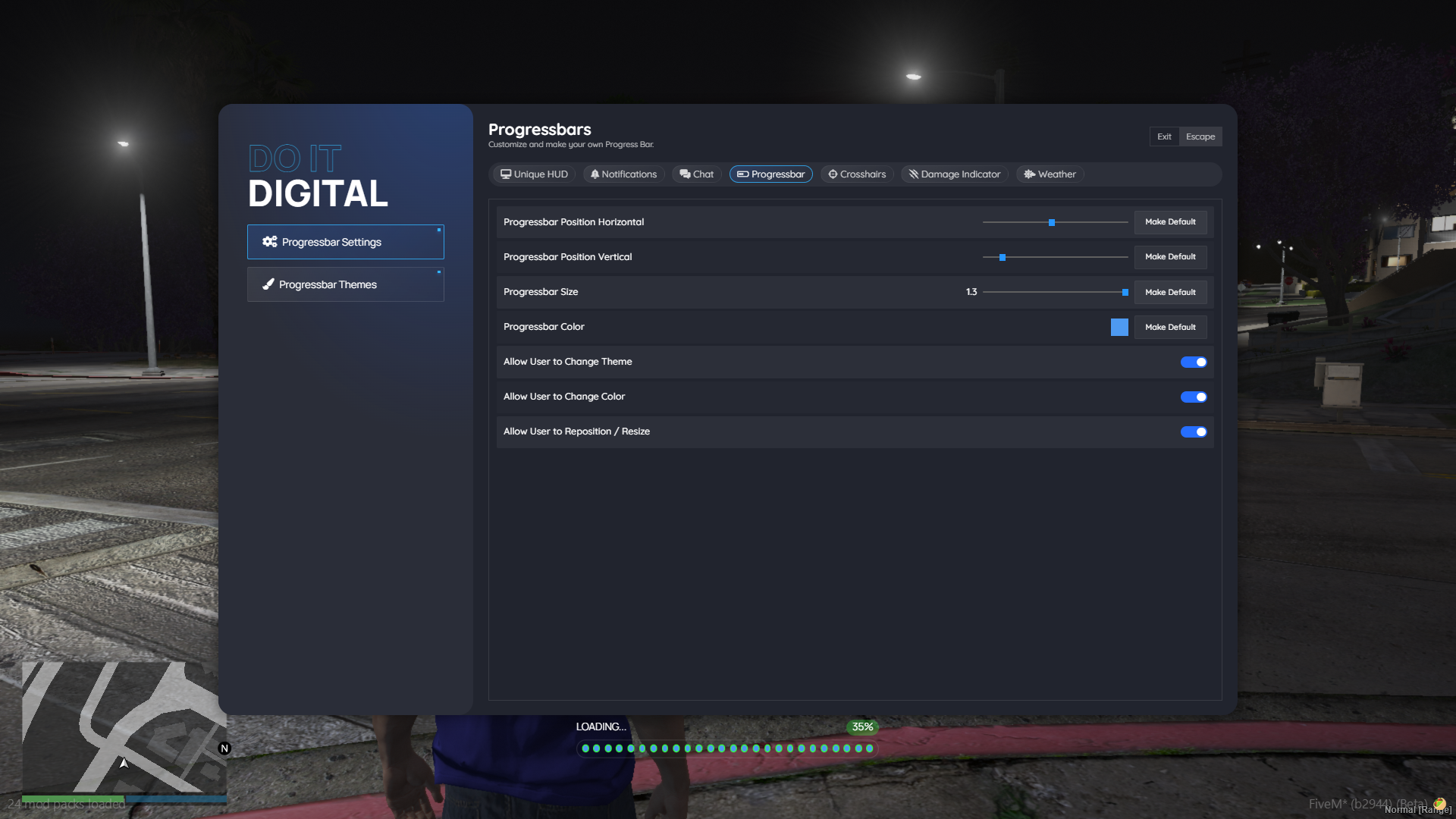
- User Customization: Position, size, color, and theme customization
- Permission System: Granular control over what users can modify
- Exports: Access the API via exports('ProgressBar')
⚡ Configuration
The system uses a config file with the following default settings:
Config = {}
Config.OpenUICommand = "psettings" -- Command to open settings UI
Config.AllowedGroups = {
admin = true,
}
Config.DefaultSettings = {
left = 42, -- Horizontal position
bottom = 1, -- Vertical position
size = 1, -- Scale size
color = "#4e9af1", -- Progress bar color
theme = "theme1", -- Visual theme
}
✔️Getting the API
local ProgressBar = exports.doit_progress:ProgressBar()
🛠️ Function Parameters
- Duration (number): Progress duration in milliseconds
- Label (string): Text displayed on the progress bar
- CanCancel (table|nil): `{key = keyCode}` to enable cancellation
- DisableControls (boolean): Whether to disable all controls during progress
- Animation (table|nil): Animation configuration
- Prop (table|nil): Not used by sync currently
- Callback (function): Function called when progress completes or is canceled
🛠️ You can find more at README.md of the resource about
- Permissions System
- Usage Examples
- Synchronous Progress Bar
- Asynchronous Progress Bar
- ProgressBar.async(duration, label, canCancel, disableControls, animation, prop)
- animation (tables)
- prop (tables)
- Callback / Await Payload
- Settings UI
- Client Events
👀 Error Handling
The system includes comprehensive error handling with:
- Assertion checks for required parameters
- Graceful handling of missing animations
- Automatic cleanup on completion/cancellation
This progress bar system provides a robust, flexible solution for any FiveM resource requiring user feedback during time-consuming operations.
GALLERY
🔐 Secured with CFX Escrow
Protected with the official CFX Asset Escrow System – ensuring secure transactions for both buyer and seller.
⚠️ Requires the latest server artifacts and a valid CFX license key.