
The Ultimate Manual Guide to Installing Custom FiveM Weapons & Attachments (2026)
Adding custom weapons and their attachments to your FiveM server is one of the best ways to enhance gameplay and player retention. Whether you're running a roleplay server with ESX or QB-Core, or using a standalone inventory system like Ox Inventory, installing add-on weapons manually ensures you have full control over balance, stats, and compatibility.
In this guide, we'll walk you through the entire methodology of manually installing FiveM weapons across the most popular inventory scripts. By understanding the manual process, you'll be able to troubleshoot issues and customize your server exactly how you want.
🛠️ Phase 1: The Foundation (Core Installation)
Before touching any inventory scripts, you must ensure the weapon itself is properly added to your server. This applies to ALL frameworks.
1. Structure Your Resource
Create a new folder in your resources directory (e.g., my_custom_weapon). Inside, you need:
- A
streamfolder containing your weapon files (.ytd,.ydr,.yft, etc.). - A
fxmanifest.luafile. - (Optional) A
metafolder for handling damage, recoil, and audio.
2. Configure fxmanifest.lua
Your manifest tells FiveM how to load the files. A standard setup looks like this:
fx_version 'cerulean'
game 'gta5'

files {
    'meta/*.meta',
}

data_file 'WEAPONINFO_FILE_PATCH' 'meta/weapons.meta'
3. Start the Resource
Add ensure my_custom_weapon to your server.cfg file. Restart your server and check the console for any errors.
📦 Phase 2: Registering Weapons in Your Inventory
Once the weapon is streaming, you need to "tell" your inventory system that this item exists. Each inventory handles this differently.
1. Ox Inventory (The Gold Standard)
ox_inventory is widely used for its performance and metadata support.
- File Location:
ox_inventory/data/items.lua(orweapons.luain some versions). - The Code: You need to define the item properties.
['WEAPON_GLOCK17'] = {
label = 'Glock 17',
weight = 1000,
durability = 0.03,
ammoname = 'ammo-9', -- Critical for reloading to work
stack = false,
close = true,
},
Pro Tip: For attachments, you need to map the weapon hash to the attachment item in the client section of the attachment definition!2. QB-Core (QBCore Framework)
QB-Core requires registering the weapon in three places for full functionality using the default systems.
- Step A: Shared Items (
qb-core/shared/items.lua)
This defines the item so it can be physically held in the inventory.['weapon_glock17'] = { name = 'weapon_glock17', label = 'Glock 17', weight = 1000, type = 'weapon', ammotype = 'AMMO_PISTOL', image = 'weapon_glock17.png', unique = true, useable = false, description = 'A custom pistol' }, - Step B: Shared Weapons (
qb-core/shared/weapons.lua)
This defines the valid weapon hashes for the core.[`weapon_glock17`] = { name = 'weapon_glock17', label = 'Glock 17', weapontype = 'Pistol', ammotype = 'AMMO_PISTOL', damagereason = 'Pistoled' }, - Step C: Weapon Config (
qb-weapons/config.lua)
If you want attachments to work, you must add your weapon to theWeaponAttachmentstable manually.
3. ESX (Legacy & Modern)
For ESX, the process depends on your version, but typically involves config.weapons.lua or the database.
- File Location:
es_extended/config.weapons.lua - The Code:
{
name = 'WEAPON_GLOCK17',
label = _U('weapon_glock17'),
ammo = { label = _U('ammo_rounds'), hash = `AMMO_PISTOL` },
components = {}
},Note: If you are using an older ESX version with a database structure, you will need to insert a row into the items table instead.4. Quasar Inventory (QS-Inventory)
Quasar follows a similar structure to QB-Core but often consolidates configuration.
- File Location:
qs-inventory/config/items.lua(orshared/items.lua) - The Code:
['weapon_glock17'] = {
['name'] = 'weapon_glock17',
['label'] = 'Glock 17',
['weight'] = 1000,
['type'] = 'weapon',
['ammotype'] = 'AMMO_PISTOL',
['image'] = 'weapon_glock17.png',
['unique'] = true,
['shouldClose'] = true,
},
5. Jaksam Inventory
Jaksam uses a specific data structure in its _data folder.
- File Location:
jaksam_inventory/_data/items.lua - The Code:
['WEAPON_GLOCK17'] = {
label = 'Glock 17',
weight = 1.0,
type = 'weapon',
ammo = 'ammo_9mm', -- Maps to specific ammo item keys
close = true,
},
🔧 Phase 3: Installing Attachments (The Tricky Part)
Most server owners forget this step! Your weapon might shoot, but without attachments, it feels incomplete. Here is how to map components (suppressors, scopes, extended mags) for each inventory.
1. Ox Inventory
In Ox, you don't attach components to the weapon config. Instead, you attach the component hash to the attachment item.
- File Location:
ox_inventory/data/items.lua - The Code: Find the item for the attachment (e.g.,
at_suppressor_light) and add your weapon's component hash to its client list.
['at_suppressor_light'] = {
label = 'Suppressor',
client = {
    component = {
        `COMPONENT_AT_PI_SUPP_02`, -- Default GTA V hash
        `COMPONENT_YOUR_CUSTOM_HASH`, -- Add your custom weapon's component hash here!
    }
}
}
2. QB-Core
QB requires you to map the specific component hash to the attachment item in a config file.
- File Location:
qb-weapons/config.lua - The Code: Look for the
WeaponAttachmentstable. You need to add an entry under the specific attachment category.
WeaponAttachments = {
['suppressor_attachment'] = {
    ['weapon_pistol'] = 'COMPONENT_AT_PI_SUPP_02',
    ['weapon_glock17'] = 'COMPONENT_YOUR_CUSTOM_HASH', -- Add this line
},
['flashlight_attachment'] = {
    ...
}
}
3. ESX Framework
For standard ESX, components are defined inside the weapon entry itself in config.weapons.lua.
{
name = 'WEAPON_GLOCK17',
label = _U('weapon_glock17'),
components = {
    { name = 'clip_default', label = 'Default Clip', hash = `COMPONENT_GLOCK17_CLIP_01` },
    { name = 'clip_extended', label = 'Extended Clip', hash = `COMPONENT_GLOCK17_CLIP_02` },
    { name = 'suppressor', label = 'Suppressor', hash = `COMPONENT_AT_PI_SUPP` }
}
},
4. Quasar Inventory & Jaksam
- Quasar: Define the attachment as an item in
items.luawith typeitemorattachment. - Jaksam: Edit
_data/components.json. You simply add the component hash to the corresponding category array.
"suppressor": [
"COMPONENT_AT_PI_SUPP",
"COMPONENT_YOUR_CUSTOM_HASH"
]
🚀 Speeding Up the Process
Manually installing weapons is great for understanding the ecosystem, but it can be tedious if you have 50+ custom guns.
If you are looking for a way to automate this methodology, Weapon Scanner can inspect your resource files and generate these configurations for you automatically, ensuring you never miss a comma or a bracket.
Check out our automated solution here:
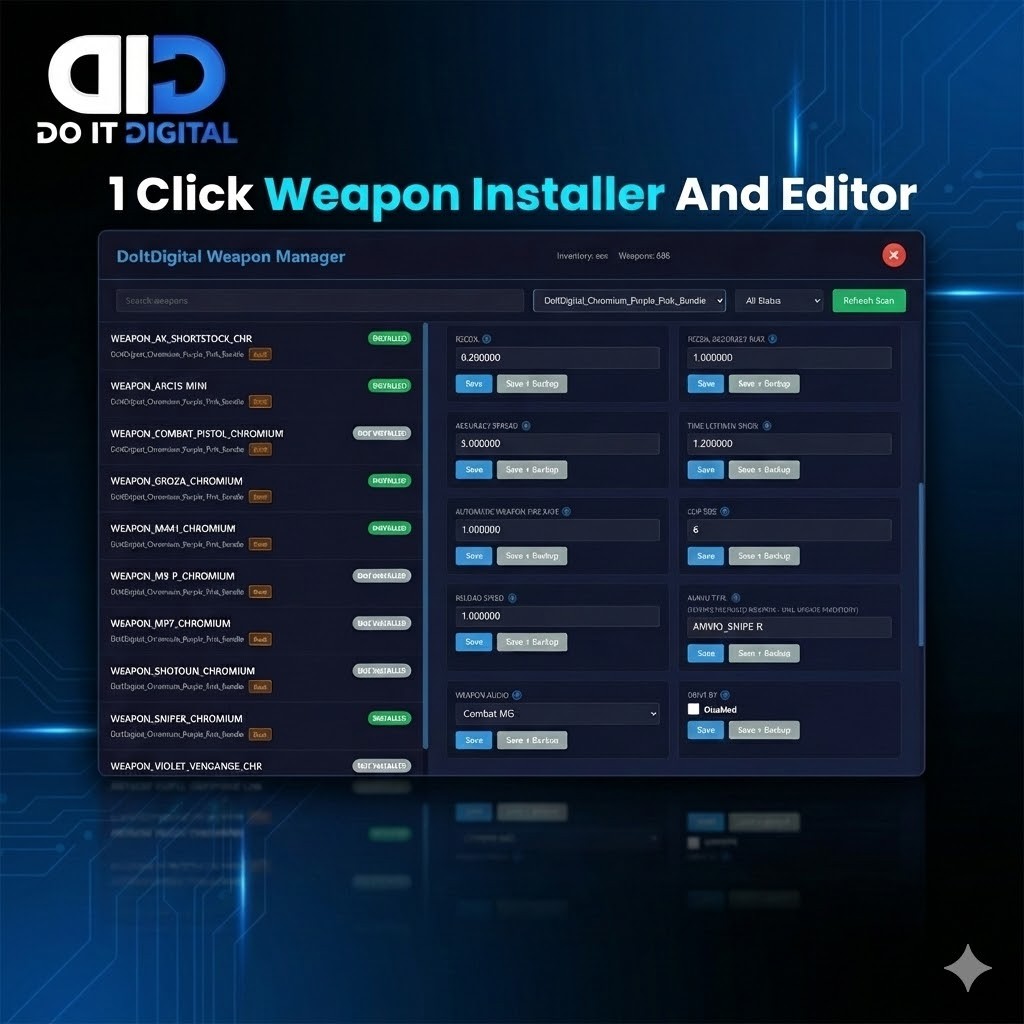 View Weapon Installer Package
Keywords: FiveM weapon install, manual weapon guide, install addon weapons fivem, fivem weapon attachments guide, qb-core weapon install, ox_inventory custom weapons, esx weapon tutorial, fivem server development 2025.