How to Edit Vehicle Handling in FiveM (Complete Guide)
If you’re running a FiveM server, adjusting vehicle handling is one of the best ways to improve gameplay realism and balance.
Whether you want faster acceleration, higher top speed, better braking, improved traction, or custom drift setups, you’ll need to edit the handling.meta file.
In this guide, we’ll explain exactly how to edit vehicle handling in FiveM — step by step.
What Is handling.meta?
The handling.meta file controls how vehicles behave in-game, including:
- Acceleration
- Braking force
- Suspension
- Traction
- Weight
- Top speed
- Gear ratios
Each vehicle has handling values that look like this:
<fInitialDriveForce value="0.300000" />
<fBrakeForce value="0.800000" />
<fTractionCurveMax value="2.500000" />
<fInitialDriveMaxFlatVel value="160.000000" />
These values directly affect how the vehicle performs in FiveM.
Step 1: Locate the handling.meta File
You can find handling files:
- Inside custom vehicle resources
- In streamed vehicle folders
- Or by overriding vanilla GTA V vehicles
For custom vehicles, the path usually looks like:
resources/[vehicle]/data/handling.metaTo modify vanilla vehicles, you must override their handling data inside a custom resource.
Step 2: Important Handling Values Explained
Acceleration
fInitialDriveForce
Higher value = faster acceleration.
Top Speed
fInitialDriveMaxFlatVel
Controls theoretical maximum speed.
Traction
fTractionCurveMax and fTractionCurveMin
Higher values = more grip and stability.
Braking
fBrakeForce
Higher value = stronger braking power.
Step 3: Restart and Test
- Save the handling.meta file
- Restart the resource
- Test the vehicle in-game
- Repeat adjustments until satisfied
The Problem With Manual Editing
While editing handling.meta manually works, it has drawbacks:
- Trial-and-error tuning
- Constant resource restarts
- XML mistakes can break vehicles
- Time-consuming balancing
- Difficult to manage multiple vehicles consistently
For servers with many vehicles, this process becomes inefficient quickly.
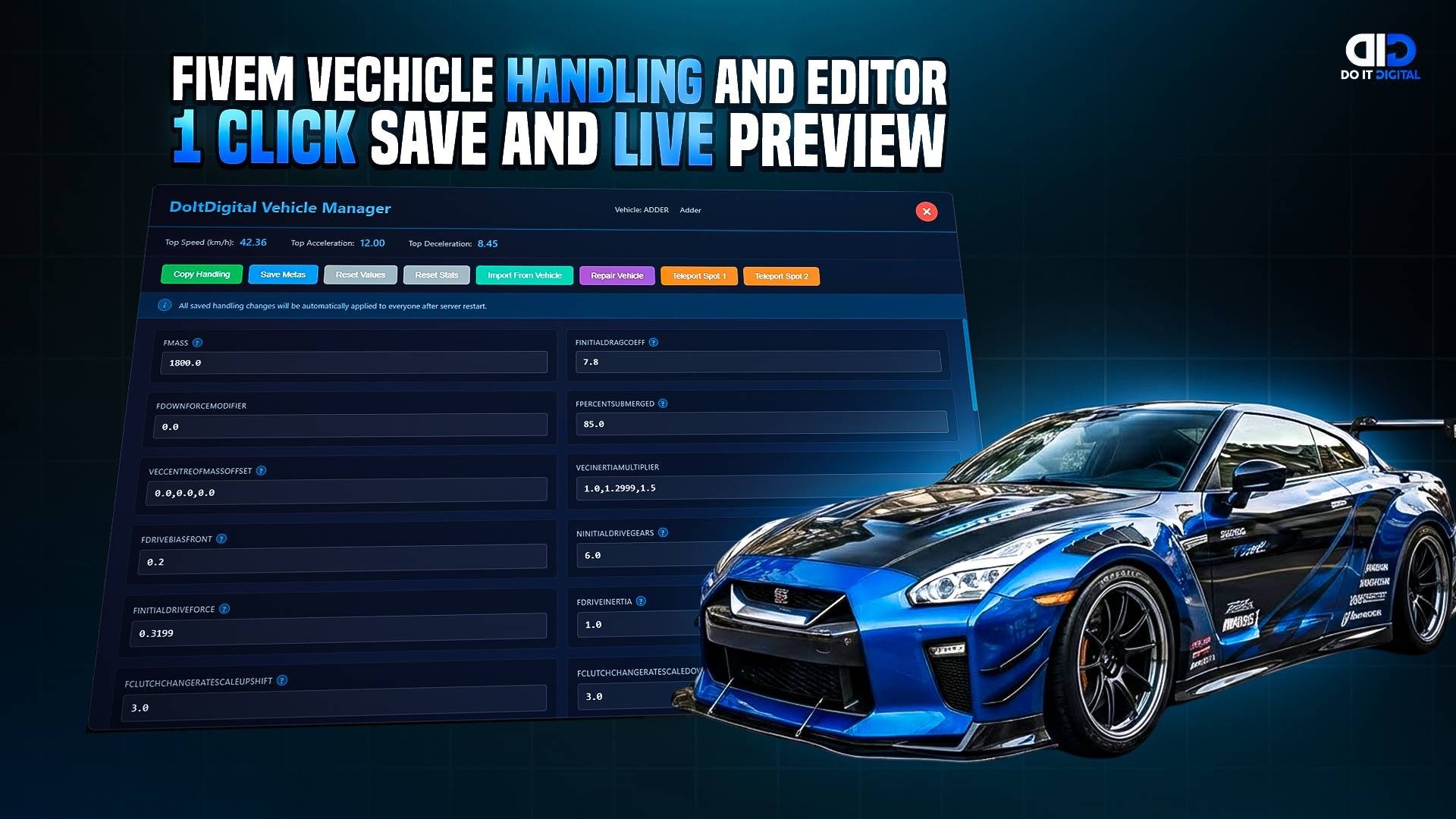
A Faster Way to Edit Vehicle Handling
Instead of manually editing XML files, you can use a dedicated vehicle meta editor script to:
- Modify handling values easily
- Edit vanilla vehicle stats
- Adjust acceleration, traction, braking and more
- Save changes automatically
- Avoid XML errors
- Speed up your balancing workflow
The DoItDigital Vehicle Meta Editor script was built specifically to simplify vehicle handling adjustments in FiveM.
It allows server owners to control vehicle performance without manually editing raw meta files.
Perfect for:
- Economy balancing
- Drift setups
- Realistic RP tuning
- Performance upgrades
- Vanilla vehicle adjustments
Final Thoughts
Editing vehicle handling in FiveM is powerful — but manual XML editing can slow down serious server development.
If you want full control over vehicle performance while saving time and avoiding errors, using a dedicated vehicle handling editor tool can streamline your workflow significantly.
CHECK OUT OUR VEHICLE HANDLING EDITOR!